


Tampilkan postingan dengan label Android. Tampilkan semua postingan
Tampilkan postingan dengan label Android. Tampilkan semua postingan
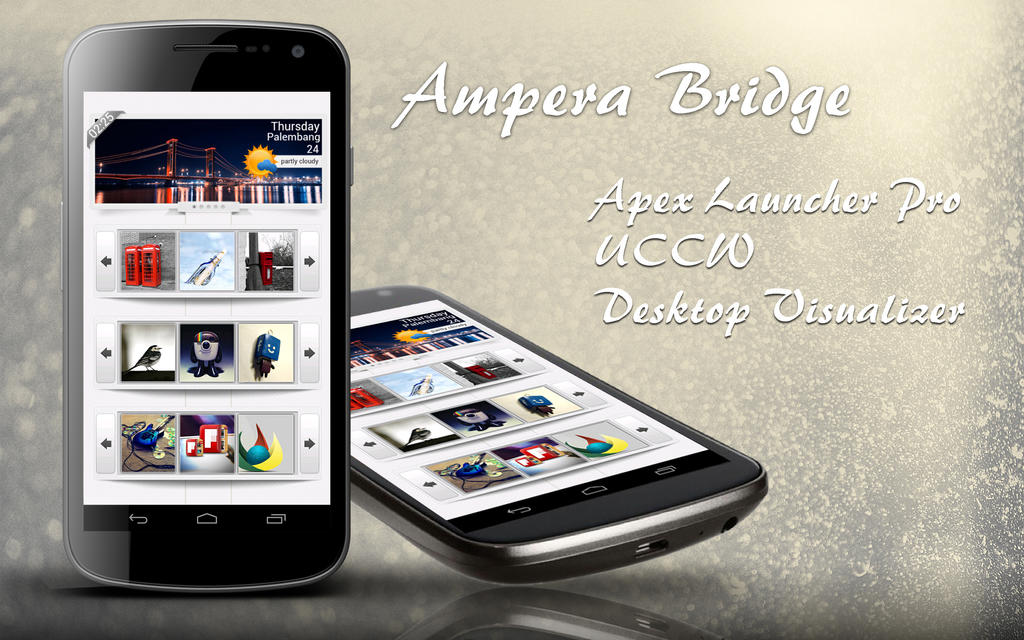
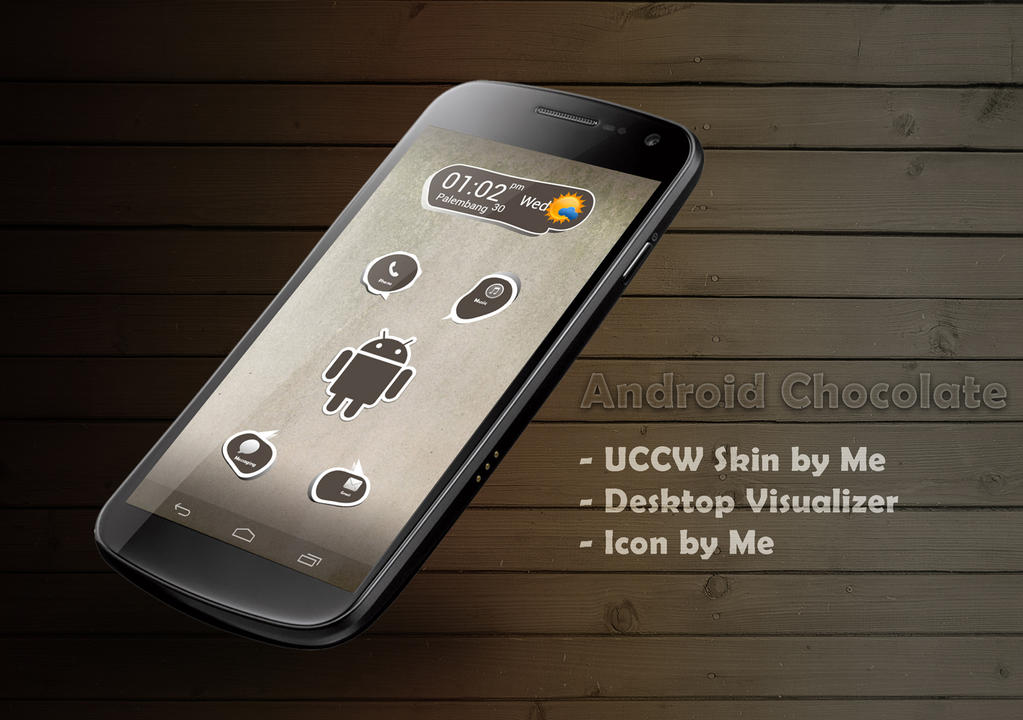


Colour Stylizer

- Galaxy Mini
- Themes by me
- ROM CM7 RC 4
- Minimalist Text
- Icon gado²
- UCCW
- Wallpaper by Me
Read more
- Themes by me
- ROM CM7 RC 4
- Minimalist Text
- Icon gado²
- UCCW
- Wallpaper by Me
Read more
Blue Ice
READMORE

Cara Ganti Font Android via Font Changer
Mungkin masih pada bingung bagaimana caranya install/ganti font pada android
langsung aja
- HP sudah di Root
- Download Font Changer Di market dan installhttps://market.android.com/details?id=com.martino2k6.fontchangerlite&feature=search_result
- Untuk Font nya coba pake yg inihttp://www.mediafire.com/?3tkfywzn2c4zsul
- Jika sudah selesai download Font nya taro font tsb di dalam folder .fontchanger
- Buka App Font Changer nya ( ada notif super user di allow aja)
6. Pilih font yg di masukkan tadi lalu klik Apply trus Reboot Now
Biarkan Hp anda restart dan lihat perubahannya
Untuk Pilihan font yg lain bisa liat di web iniwww.ihint.net
Semoga Membantu
Share
Memasang Custom Carrier Logo pada Statusbar [Tested on CM7]


credit to :ID FB ANDHIKA DARWARDI ( http://www.facebook.com/okeeph )yonathan winata@gio
Ini adalah tutorial untuk Memasang Logo di statusbar. (cuma bisa di CyanogenMod) kalo mau test di ROM laen juga silahkan.. :)
Logo ini memanfaatkan posisi dari carriername. :) PERHATIAN ! Ini disarankan hanya untuk user yang sudah terbiasa dalam mengompile / compile file .apk dengan APK Manager. Untuk pemula, disarankan untuk coba pelajarin dulu de/compile file .apk
Do With Your Own Risk Bahan2 yang diperlukan :
1. APK Tool / APK Manager / APK MultiTools .. (sama aja ko fungsinya tapi ane pake APK Manager)
2. ADB (Buat ngambil SystemUI.apk) / dicopy manua pakai rootex dari android agan juga gapapa, yang penting tau cara masukkin ke /system/app nya lagi nanti.
3. SystemUI.apk (Pull dari /system/app)
4. Texteditor (Ane pake notepad++)
5. Kesabaran... :D TALK LESS DO MORE.. DONT ASK BEFORE STUCK.. :)
Pertama-tama, pasang carrier logo di statusbar. Caranya :
1. Ambil SystemUI.apk dari Android agan.
2. Buat duplikatnya (mencegah kalo nanti salah, jadi ada backupnya ^_^ )
3. Taruh SystemUI.apk nya di dalem folder "place-apk-here-for-modding"
4. Decompile SystemUI.apk ..
5. Download logo.png dari sini http://forum.xda-developers.com/showthread.php?t=1218876
Trus pindahin file logo.png nya ke project\SystemUI.apk\res\drawable-mdpi. Jadi di dalem folder drawable-mdpi ada file namanya logo.png
6. Buka folder project\SystemUI.apk\res\layout. Buka statusbar.xml
7. Copy kode berikut ini
<com.android.systemui.statusbar.CarrierLabel android:textAppearance="@android:style/TextAppearance.StatusBar.Icon" android:gravity="center_vertical" android:background="@drawable/logo" android:orientation="horizontal" android:id="@id/carrier_label_layout" android:paddingLeft="4.0dip" android:layout_width="wrap_content" android:layout_height="fill_parent" android:singleLine="true" android:layout_alignParentLeft="true" /> Kemudian paste tepat di atas <com.android.systemui.statusbar.IconMerger android:gravity="center_vertical" android:orientation="horizontal"... Bla bla bla... Jadi gini kurang lebih posisinya : <LinearLayout android:orientation="horizontal" android:id="@id/icons" ..... <com.android.systemui.statusbar.CarrierLabel android:textAppearance="@android:style/TextAppearance.StatusBar.Icon" .... <com.android.systemui.statusbar.IconMerger android:gravity="center_vertical" .....
Kalo udah, save statusbar.xml nya.
8. Kemudian, compile > y > y..
9. Buka file SystemUI.apk yang bakal dicopy ke android agan pake winrar
10. Sekarang ke APK Manage\project\SystemUI\build\apk.
--Drag file resources.arsc dan classes.dex yang ada di situ, trus drop di file SystemUI.apk yang tadi udah dibuka pake winrar (Replace aja)
12. Sekarang ke APK Manage\project\SystemUI\build\apkk\res\drawable-mdpi
--Drag file logo.png yang ada di situ, trus drop di file SystemUI.apk yang tadi udah dibuka pake winrar di res/drawable-mdpi
13. Sekarang ke APK Manage\project\SystemUI\build\apkk\res\layout
--Drag file statusbar.xml yang ada di situ, trus drop di file SystemUI.apk yang tadi udah dibuka pake winrar di res/layout (Replace aja)
14. Sekarang tinggal push aja SystemUI.apk yang udah dimodif tadi ke android agan ke /system/app. Bisa lewat adb ato bisa manual pake rootexplorer (Kalo pake rootexplorer, Jangan lupa set permissonnya rw-r-r).
15. Reboot Androidnya. :) Harusnya sih bakalan muncul Logo di belakang carriername nya di statusbar.
Oke, skrg kalo udah muncul logo di belakang statusbar, kita apus aja tulisan carriername nya biar ga ngeganggu. Caranya :
1. install yang namanya CarrierName. Bisa donlod di sini http://forum.xda-developers.com/attachment.php?attachmentid=482539&d=1294362549
2. Set operatorname nya jadi [spasi] ajah " " <- tanpa kutip.
3. Trus Reboot
4. Seharusnya Logonya bakal keliatan jelas. :D
Kalo males, bisa pake SystemUI.apk ane. Mudah2n cocok ya, backup dlu SystemUI.apk yang agan punya, takutnya ga compatible http://db.tt/Xe6M0Ybb << only RC5.5
Note : untuk ganti logo nya, sebenernya tinggal siapin aja logo yang diinginkan, trus rename jadi logo.png. trus di masukkin ke SystemUI.apk punya ane aja baru dipush. :)
Ini logo operator Indonesia http://www.ziddu.com/download/15640567/LOGO_OPERATOR_INDONESIA.zip.html
Hasil dari Agan Ryan Ahmadi Putra

Sumbangan Mastah Amri Novariansyahhttp://dl.dropbox.com/u/46444918/20120130180904.png
http://dl.dropbox.com/u/46444918/20120130224527.png Akhir kata saya minta maaf kalo belom sempet Izin sama Admin disini.. :DTambahan buat Icon Carrier Logonya http://www*mediafire*com/?76mvd25w59z99hd
Copas dari Grup Lil'G https://www.facebook.com/groups/Samsung.Galaxy.Mini/
Share
Dak Kuawe Themes II

New CM7 Themes Dak_Kuawe II
- New Status Bar
- Fix Dialer Tab
- New Icon Bar
- Fix Background Bar
Download : Here
Thank's To
Rivani Ezot
Fajrin Ca
Amri NVR
Muttia
All Member Dak_Kuawe Party HardCore I Love You All :-*
#aposih
Themes Mod by Me
Visit www.oXside89.com Share
Dak Kuawe Themes

Dak Kuawe Themes
Themes Chooser Mod By Me
Basic : Themes Blue MIUI
Icon Glasskart
Icon Glasskart
Icon Notif Ribbon
Fix to LDPI Screen
Download : Dak Kuawe
Share
Widget Locker + themes

Buat yg pengen mempercantik tampilan Lockscreen bisa memakai App ini.
cara setting nya cukup mudah kok ^_^
- Download file nya http://db.tt/8ytJcE0i dan install.
- lalu buka app nya lanjut langsung otomatis masuk ke tampilan widget locker nya.
- untuk mengganti design Lockscreen nya tinggal di Push lockscreen nya lalu remove.lalu option pilih add custom slider.
- slide to configure dan pilih themes nya.
- Untuk memperbanyak tampilan themes nya silahkan download file ini http://www.mediafire.com/?uusbxvrs2kafvpa.
- klo sudah di download extract file nya trus masukkan seluruh file .wltheme.zip ke Data/com.teslacoilsw.widgetlocker/themes
- lanjut klik lagi app widget locker nya pilih option dan silahkan pilih themes yg sudah di download tadi.
Kalo themes nya masih kurang banyak silahkan kunjungi link di bawah ini
Share
Koleksi App Pro ( Update )
Root Explorer v2.17 http://www.mediafire.com/?itydfe9qrx7tz1n
ICS Launcher Full Crack http://www.mediafire.com/p?gzo3b5rqqfiz5lh
xperia theme CM7 http://www.mediafire.com/?065nma4xc0uumvk
Xperia Home http://www.mediafire.com/?065nma4xc0uumvk
Winamp Pro new http://www.mediafire.com/?jd98y8f6bk7i4gj
Fruit_Ninja (Game) http://www.mediafire.com/?6unramourb7ir24
FriendCaster Pro v4.3 http://www.mediafire.com/?r6z66ft7rkgsi03
JuiceDefender Ultimate 3.5.6 http://www.mediafire.com/?8h9ehevn7k9h1jv
2x Battery Battery Saver http://www.mediafire.com/?43u191ueh0159fa
App2SDPro2.33 http://www.mediafire.com/?55cjkp1iamp2ct2
Adobe_Flash_Player_11 http://www.mediafire.com/?5wj6ulu91qa393i
BlueMiui CM7 Theme http://www.mediafire.com/?lzy0kwdbo7opsuc
Camera360 (2.6.0) http://www.mediafire.com/?w6phboz0sshbjs1
CyanogenMod for Samsung Galaxy Mini (Yanuar Harry)
STATUSBAR + SOFT KEY FOR ALL CM7 - TABLET TWEAKS ( Add Soft-Key Options )
Download Here: http://db.tt/VacN9Z4c
How To Install :
- masuk ke mode rcovenery
- instal zip from sd card
- choose zip from sd card
- cari file nya :)
- terus tekan yes
- reboot :)
Build 13-11-2011
Build 15-11-2011
Build 17-11-2011 (stable)
CyanogenMOD 7.2.0 RC1 (STABLE)
CyanogenMOD 7.2.0 RC2
CyanogenMOD 7.2.0 RC3
Fix Bug Video Codec : http://www.megaupload.com/?d=5L3TSM29
[CM7 THEME] LunarUi v4.1.0

Version 4.1.0 - codename: Cosmic
[+] New Wifi signals
[+] New buttons (green go red no go :P)
[+] Pulldown notification rethemed
[+] music player update
[+] icon psd released
[+] more small additions
extra for v4.1.0
[+] wifi signal downsized
[+] pulldown notif recolor
[+] pop ups cleaned up
[+] "christmas" button set removed
 now gray for active and red for inactive
[+] music player controls stylized
Share
Themes Chooser ICS (CM7 Only)

Version 1.6:
Redrew the LauncherPro preferences menu icon.
Added ICS blue back as the default color, if you don't like it, remove the 2 lines that say color in com_android_vending.xml.
Added a new image for call log titlebar to show both black and white text.
Added a new icon for ADW settings.
Share
Cyanogenmod River edition RC1

Fitur :
- Over Clock
- Tweaks Script
- Add Music MIUI
- Themes Chooser ICS
- A2SD
- No Frilis Set Cpu dll
How To Install
- Working Firmware S5830XWKPO,S5830XWKPW
- Install CWM 4 lewat Recovery reboot
- Next Install CWM 5 Reboot.
- Wipe data & Cache
- Install zip from,Choose zip CM7 Reboot
Share
Android Palembang CM7 Galaxy Mini

heee Alhamdulillah gan udah selesai modding CM7 untuk Android Palembang, ini untuk yang Lil'G (Samsung Galaxy Mini)
Stat ROM :
- Kernel OC 753MHz
- Wired & Wireless theter OK
- Camera MIUI ROM
- Music ICS 4
- Bluetooth OK + Bluetooth File Transfer
- a lot of tweak
- A2SD Darktremor- Bootsound enabled
- SGS Tools (untuk oprek" dari HH)
- Market v 3
- CWM Manager
- Clock default Honeycomb
- Smart Keyboard Pro + theme blue glow and autotext
- Titanium Backup Pro
Share
[CM7 THEME][HDPI ONLY] TR0N alpha

Themed:
-phone
-browser
-messaging
-systemui
-latinIME
-google+
-weather
-twitter (need help to make text white)
-facebook (same as above)
-music
-google music beta
-search
-torch
-and more i can't think of off the top of my head
Share
CF ROOT For Andro-id v32 , cm7 and No Name
Only Galaxy Mini
CF-Root Full FOR ANDRO-ID v32 , CM7 AND NO NAME FIX
Download File :http://www*4shared*com/file/igMEYUxH/CF-root_Full_fix.html
it's only for fresh andro-id v32, fresh cm7 and fresh No Name without customized
Flash with cwm,
it won't startup if installed on andro-id v32 and cm7 customized
how to run this after flash
1. you must install terminal or better terminal after flash this
2. run terminal
3. type su
4. chmod 755 /system/xbin/propset
5. chmod 755 /system/xbin/propget
6. type cd system/
7. type sh properties.sh
86. close terminal
9. reboot your device
10. finish
then you can run tweaksmanager, cwm, anim, metamorph
on tweaksmanager
you can select what you want to tweaks, after that you click Applu changes and it will reboot your device
Share
READMORE
CF-Root Full FOR ANDRO-ID v32 , CM7 AND NO NAME FIX
Download File :http://www*4shared*com/file/igMEYUxH/CF-root_Full_fix.html
it's only for fresh andro-id v32, fresh cm7 and fresh No Name without customized
Flash with cwm,
it won't startup if installed on andro-id v32 and cm7 customized
how to run this after flash
1. you must install terminal or better terminal after flash this
2. run terminal
3. type su
4. chmod 755 /system/xbin/propset
5. chmod 755 /system/xbin/propget
6. type cd system/
7. type sh properties.sh
86. close terminal
9. reboot your device
10. finish
then you can run tweaksmanager, cwm, anim, metamorph
on tweaksmanager
you can select what you want to tweaks, after that you click Applu changes and it will reboot your device
Share
Kumpulan Script Tweaks Buat Android
Kumpulan Tweaks Buat Memperlancar system di android Agan
Berikut beberapa list tweaks..
Virtual Memory - Sysctl
echo 10 > /proc/sys/vm/swappiness
echo 90 > /proc/sys/vm/dirty_ratio
echo 20 > /proc/sys/vm/vfs_cache_pressure
echo 8192 > /proc/sys/vm/min_free_kbytes
echo 1 > /proc/sys/vm/oom_kill_allocating_task
echo 55 > /proc/sys/vm/dirty_background_ratio
echo 500 > /proc/sys/vm/dirty_expire_centisecs
echo 1000 > /proc/sys/vm/dirty_writeback_centisecs
Boost sdcard speed
echo 512 > /sys/devices/virtual/bdi/7:0/read_ahead_kb
echo 512 > /sys/devices/virtual/bdi/7:1/read_ahead_kb
echo 512 > /sys/devices/virtual/bdi/7:2/read_ahead_kb
echo 512 > /sys/devices/virtual/bdi/7:3/read_ahead_kb
echo 512 > /sys/devices/virtual/bdi/7:4/read_ahead_kb
echo 512 > /sys/devices/virtual/bdi/7:5/read_ahead_kb
echo 512 > /sys/devices/virtual/bdi/7:6/read_ahead_kb
echo 512 > /sys/devices/virtual/bdi/7:7/read_ahead_kb
echo 3072 > /sys/devices/virtual/bdi/179:0/read_ahead_kb
echo 97 > /sys/devices/virtual/bdi/179:0/max_ratio
echo 3072 > /sys/devices/virtual/bdi/default/read_ahead_kb
echo 97 > /sys/devices/virtual/bdi/default/max_ratio
echo 3072 > /sys/devices/virtual/bdi/mmcblk0p2/read_ahead_kb
Scheduler
SCHEDULER="deadline"
STL=`ls -d /sys/block/stl*`;
BML=`ls -d /sys/block/bml*`;
MMC=`ls -d /sys/block/mmc*`;
TFSR=`ls -d /sys/block/tfsr*`;
DM=`ls -d /sys/block/dm*`;
MTD=`ls -d /sys/block/mtd*`;
LOOP=`ls -d /sys/block/loop*`;
RAM=`ls -d /sys/block/ram*`;
for i in $LOOP $MTD $MMC;
do
echo $SCHEDULER > $i/queue/scheduler;
done;
# deadline
for i in $LOOP $MTD $MMC;
do
echo 0 > $i/queue/rotational
echo 1 > $i/queue/iosched/back_seek_penalty
echo 1 > $i/queue/iosched/low_latency
echo 3 > $i/queue/iosched/slice_idle
echo 16 > $i/queue/iosched/quantum
echo 1024 > $i/queue/iosched/nr_requests
echo 4 > $i/queue/iosched/writes_starved
echo 500 > $i/queue/iosched/read_expire
echo 5000 > $i/queue/iosched/write_expire
echo 8 > $i/queue/iosched/fifo_batch
echo 1 > $i/queue/iosched/front_merges
done;
Share
Berikut beberapa list tweaks..
Virtual Memory - Sysctl
echo 10 > /proc/sys/vm/swappiness
echo 90 > /proc/sys/vm/dirty_ratio
echo 20 > /proc/sys/vm/vfs_cache_pressure
echo 8192 > /proc/sys/vm/min_free_kbytes
echo 1 > /proc/sys/vm/oom_kill_allocating_task
echo 55 > /proc/sys/vm/dirty_background_ratio
echo 500 > /proc/sys/vm/dirty_expire_centisecs
echo 1000 > /proc/sys/vm/dirty_writeback_centisecs
Boost sdcard speed
echo 512 > /sys/devices/virtual/bdi/7:0/read_ahead_kb
echo 512 > /sys/devices/virtual/bdi/7:1/read_ahead_kb
echo 512 > /sys/devices/virtual/bdi/7:2/read_ahead_kb
echo 512 > /sys/devices/virtual/bdi/7:3/read_ahead_kb
echo 512 > /sys/devices/virtual/bdi/7:4/read_ahead_kb
echo 512 > /sys/devices/virtual/bdi/7:5/read_ahead_kb
echo 512 > /sys/devices/virtual/bdi/7:6/read_ahead_kb
echo 512 > /sys/devices/virtual/bdi/7:7/read_ahead_kb
echo 3072 > /sys/devices/virtual/bdi/179:0/read_ahead_kb
echo 97 > /sys/devices/virtual/bdi/179:0/max_ratio
echo 3072 > /sys/devices/virtual/bdi/default/read_ahead_kb
echo 97 > /sys/devices/virtual/bdi/default/max_ratio
echo 3072 > /sys/devices/virtual/bdi/mmcblk0p2/read_ahead_kb
Scheduler
SCHEDULER="deadline"
STL=`ls -d /sys/block/stl*`;
BML=`ls -d /sys/block/bml*`;
MMC=`ls -d /sys/block/mmc*`;
TFSR=`ls -d /sys/block/tfsr*`;
DM=`ls -d /sys/block/dm*`;
MTD=`ls -d /sys/block/mtd*`;
LOOP=`ls -d /sys/block/loop*`;
RAM=`ls -d /sys/block/ram*`;
for i in $LOOP $MTD $MMC;
do
echo $SCHEDULER > $i/queue/scheduler;
done;
# deadline
for i in $LOOP $MTD $MMC;
do
echo 0 > $i/queue/rotational
echo 1 > $i/queue/iosched/back_seek_penalty
echo 1 > $i/queue/iosched/low_latency
echo 3 > $i/queue/iosched/slice_idle
echo 16 > $i/queue/iosched/quantum
echo 1024 > $i/queue/iosched/nr_requests
echo 4 > $i/queue/iosched/writes_starved
echo 500 > $i/queue/iosched/read_expire
echo 5000 > $i/queue/iosched/write_expire
echo 8 > $i/queue/iosched/fifo_batch
echo 1 > $i/queue/iosched/front_merges
done;
Langganan:
Postingan (Atom)
 Twitter Follow my tweets!
 Facebook My Facebook
 My Deviant Art My Deviant Art
 My Google+My Google+
 My Color Screen My Color Screen
 Myspace Listen to me!